Display Count of Assigned Services in the Housekeeping Assignment Dashboard
Stay is enhanced to display the count of the housekeeping service requests assigned to each housekeeping staff on-duty created across multiple service types for the current property date in the Assigned Services section of the Housekeeping screen (Rooms Mgmt ➜ Housekeeping ➜ Print). These details are also displayed when the housekeeping assignment is printed.
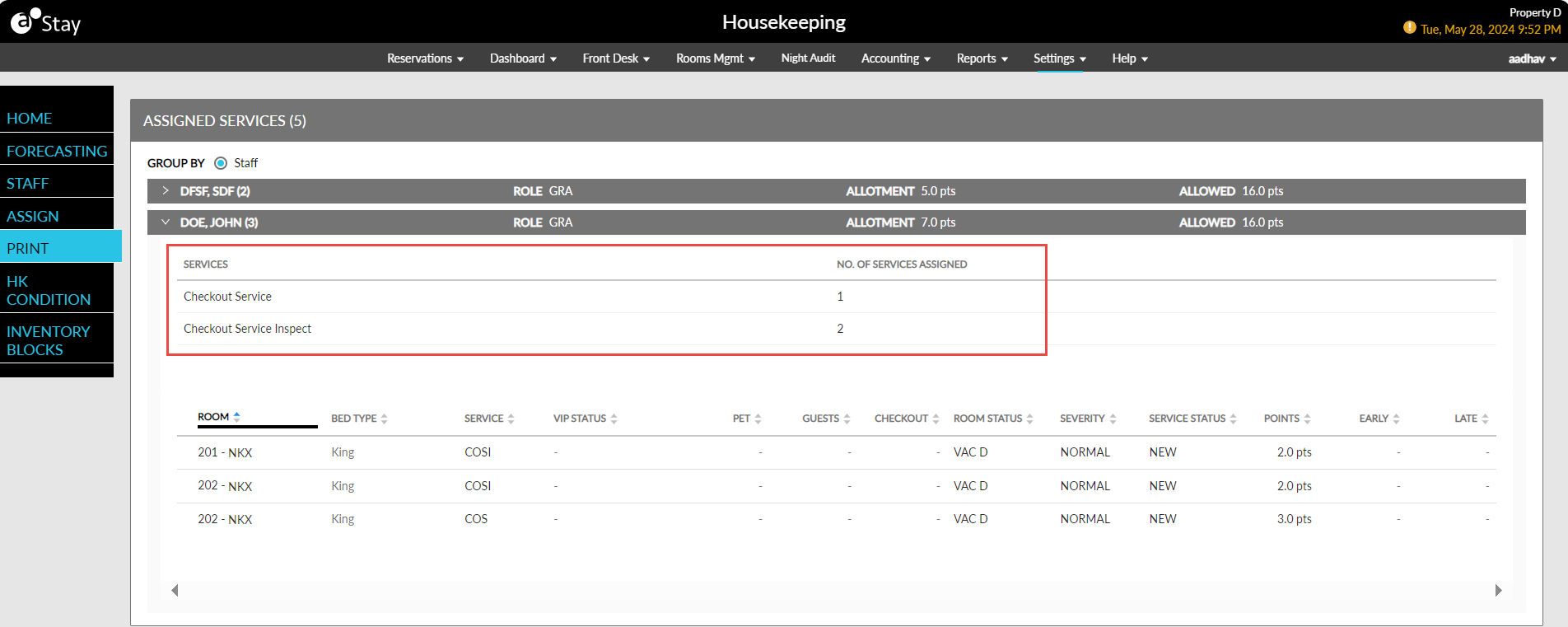
Two new columns, Services and No. of Services Assigned, are displayed when users expand the accordion for each housekeeping staff on-duty. The total count of services assigned to the staff for each service type is displayed in the No. of Services Assigned column.
A new column, Bed Type, has been added both in the Assigned Services section and in the printed assignment sheet that displays the name of the bed present in the room.
When the housekeeping assignment is printed, the details of the services assigned are displayed on a grid in the printed sheet.